Skip to content
Unreal Engine audio & FX pluginVersion 2.11.2

Footstep Studio

Surface-aware audio, effects, and marks.

Drive configured audio, Niagara effects, decals, and material impressions from authored contacts. Surface and footwear profiles shape the response while your project keeps control of contact timing, locomotion, and gameplay.

Included

Runtime source and 14 neutral authoring assets

Bring your own

Sounds, Niagara systems, textures, characters, and animation

Compatibility

Published validation: UE 5.5.4 / 5.6.0 / 5.7.4 / 5.8.0 · Win64

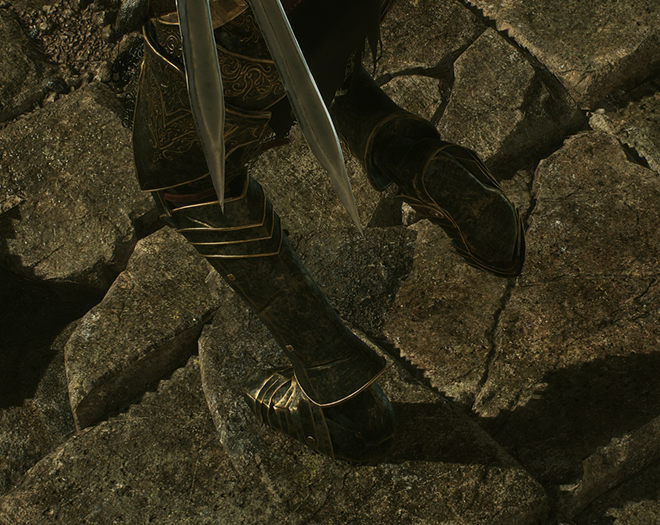
Footstep Studio / hero visual
Product overview
01

Product overview

Footstep Studio / hero visual

Explore the product’s workflows and read the integration guide for setup requirements and technical boundaries.

AI-edited promotional illustration · Not a capture of the plugin in operation.

From contact to presentation

One contact. Every presentation layer.

Explore the response, the authoring workflow and the integration boundaries. Runtime screenshots use project-authored showcase content, not an included art pack.

Field study / 01

A contact, translated.

Footstep Studio
Presentation flow

  1. 01 / YOUR PROJECT

    Submit a contact

    Choose the input your contact pipeline provides.

    • Configured socket
    • World location
    • Existing blocking hit
  2. 02 / FOOTSTEP STUDIO

    Resolve the response

    Select the surface definition and event payload.

    1. 01 Exact Physical Material
    2. 02 Physical Surface fallback
    3. 03 Global fallback

    Fallbacks apply when a match is absent. An authored silent match stays silent.

  3. 03 / CONFIGURED PRESENTATION

    Present the contact

    Eligible paths use the resolved context.

    • Audio Sound
    • Niagara Visual effects
    • Immediate decals Projection
    • Surface Transfer Carried residue
    • Surface Impression Material marks

OWNERSHIPYour project owns the assets, gameplay and replicated state.

Conceptual overview. Admission rules, channel configuration and budgets still apply; not every request produces every output.

01 / In-game result

Every contact feels grounded.

Turn one resolved contact into the configured audio, Niagara, decal, and material response for its surface, contact identity, and equipped footwear. Give a step through shallow water a different character from a landing on stone, while keeping every eligible local presentation channel connected to the same contact context. Your assets define the final look and sound.

  • Surface-aware and equipment-aware presentation
  • Audio, Niagara, decals, and material impressions when configured
  • Project-authored effects, coordinated through one contact
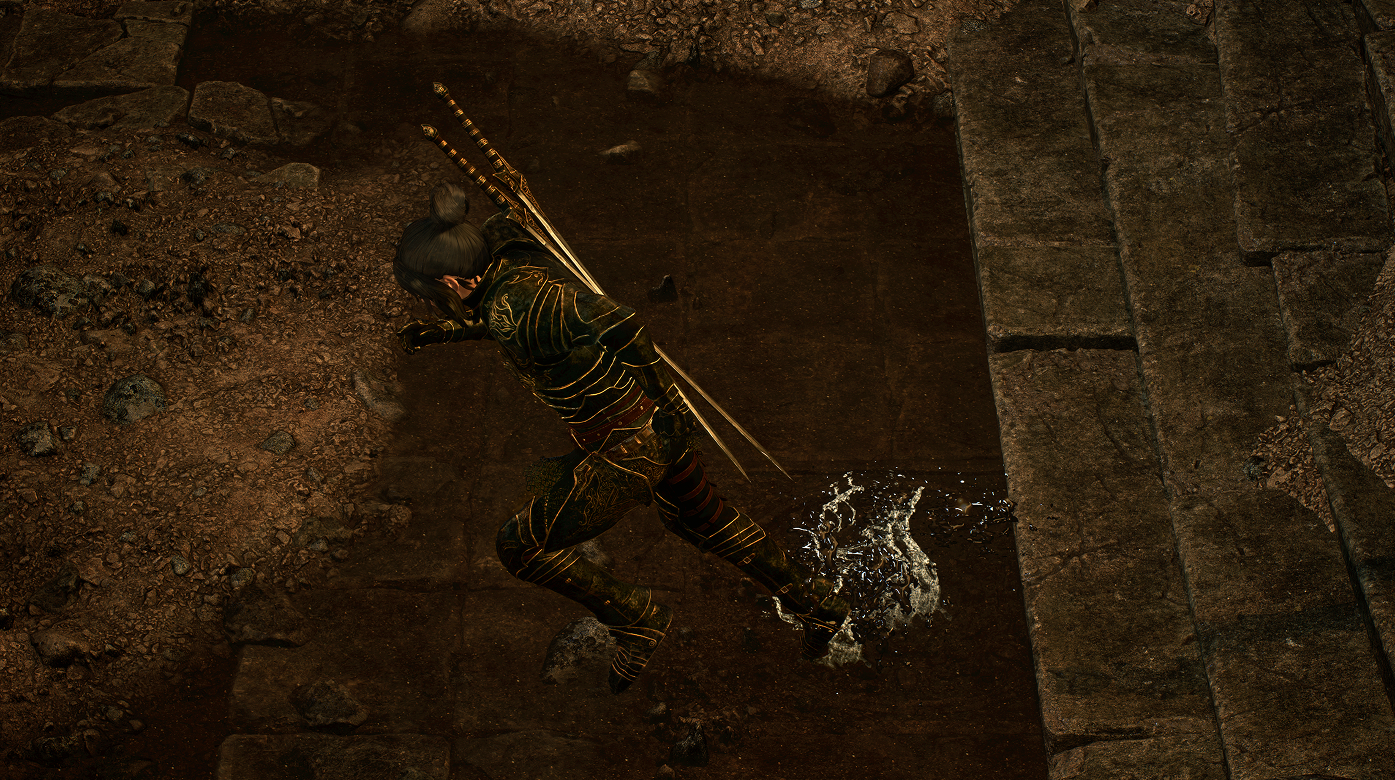
Project-authored splash presentation at the character's contact point. Showcase artwork and effects are not included.
02 / Contact resolution

One contact. The right result.

Resolve an exact Physical Material override first, fall back to its Physical Surface definition when no exact match exists, then use the global default only when that surface entry is absent. Resolve the event's payload from that definition and drive eligible presentation paths from one context. This keeps similar surfaces easy to group while preserving deliberate material-specific exceptions.

  • Exact material overrides before surface and global defaults
  • Step, Land, Pivot, Slide, Jump, and named Custom events
  • Physical Materials, surface names, and collision remain project-owned
01 / Exact Physical Material
Use the authored exact-material match first.
02 / Physical Surface fallback
If no exact-material match exists, look up the Physical Surface.
03 / Global fallback
If neither matches, use the configured global fallback. These are alternatives, not merged layers.

03 / Footwear

Footwear changes the footstep.

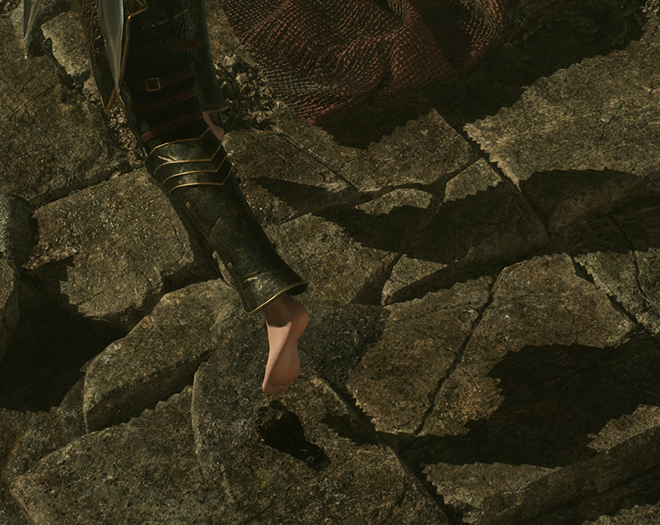
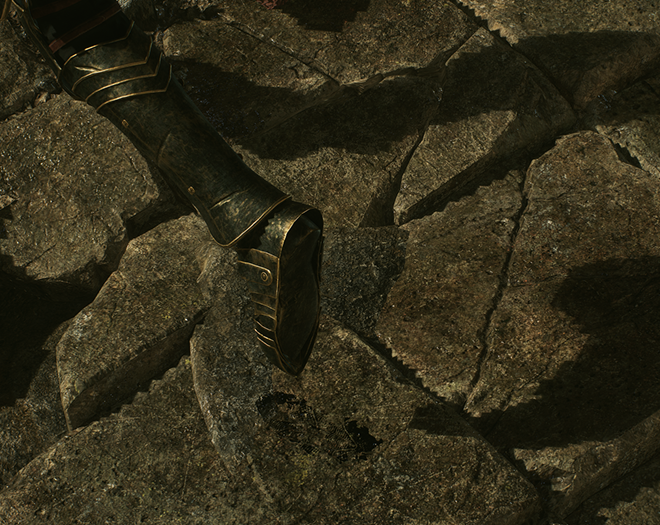
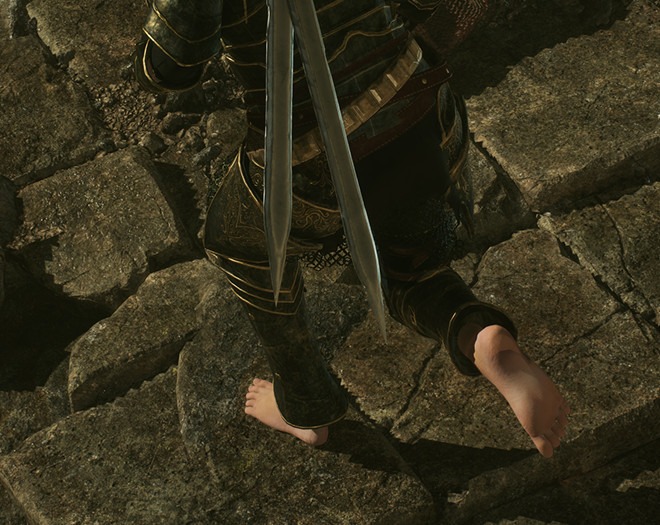
Switch project-defined barefoot, boot, shoe, paw, hoof, or custom contact profiles at runtime. Resolve contact-specific imprints, surface-audio modulation, and optional footwear audio layers without coupling presentation to a particular inventory framework. A change of equipment can change both the mark and the sound, while your project remains responsible for selecting and synchronizing the equipped profile.

  • Left, right, and custom contact identities
  • Runtime profile selection and provider integration
  • Equipment state and imprint artwork remain project-owned

Separate barefoot and boot examples show the authored contact identity and surface marks; poses and framing differ.

04 / Surface Transfer

The surface travels with you.

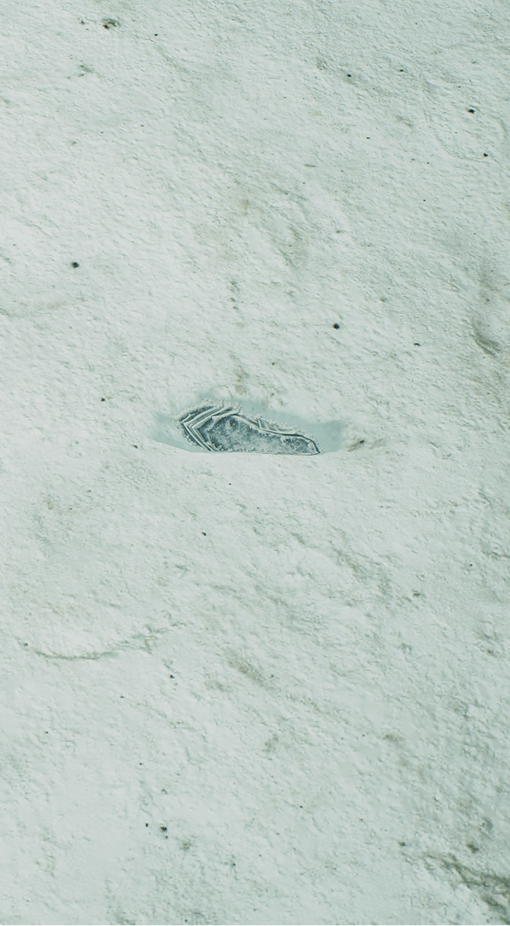
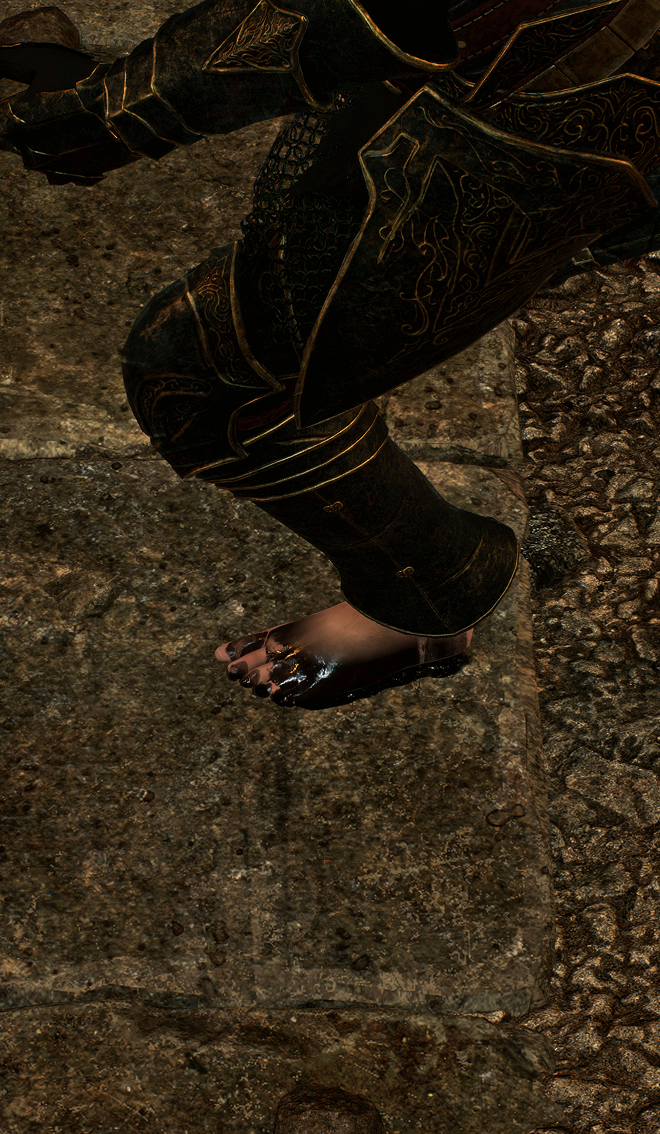
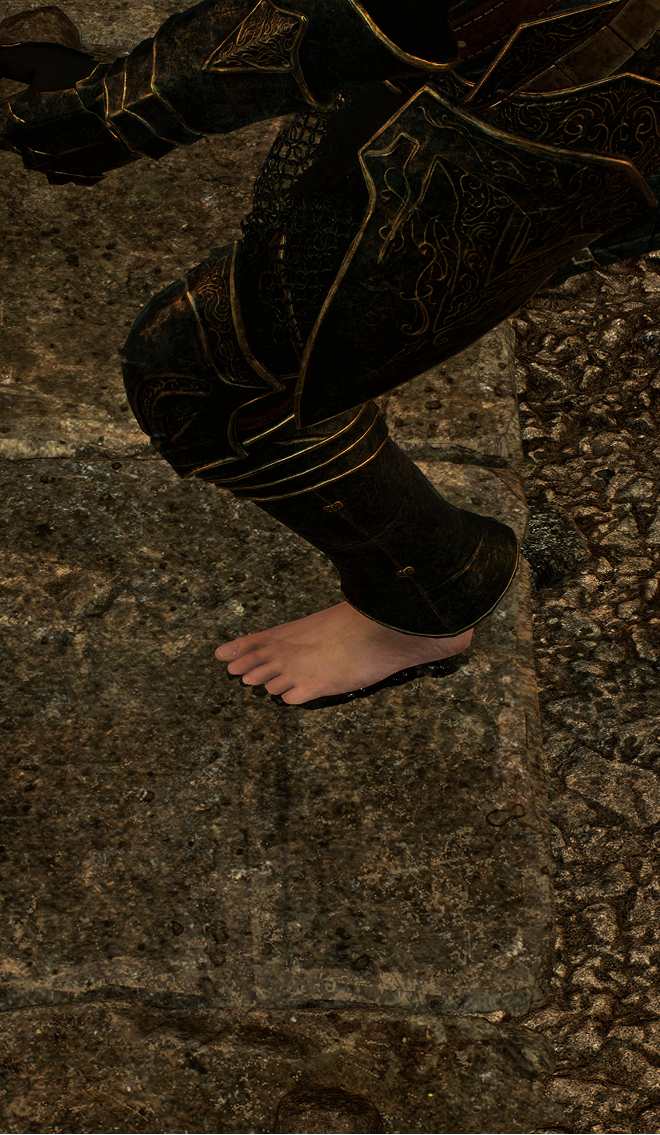
Acquire residue from water, mud, blood, snow, ash, sand, or paint on contact, then carry it onto subsequent surfaces through configurable decal trails. Define transfer stages, contact routes, and intensity progression to match your artistic direction. Acquisition retains the selected footwear identity for the trail, so later equipment changes do not silently rewrite residue already carried by that contact.

  • Configurable carried-residue presentation
  • Bounded transfer state and contact-driven progression
  • Cosmetic decals, not fluid simulation or collision changes

A still image of the authored residue result; it does not demonstrate the timing or full progression of a transfer sequence.

05 / Surface Impressions

Materials remember the contact.

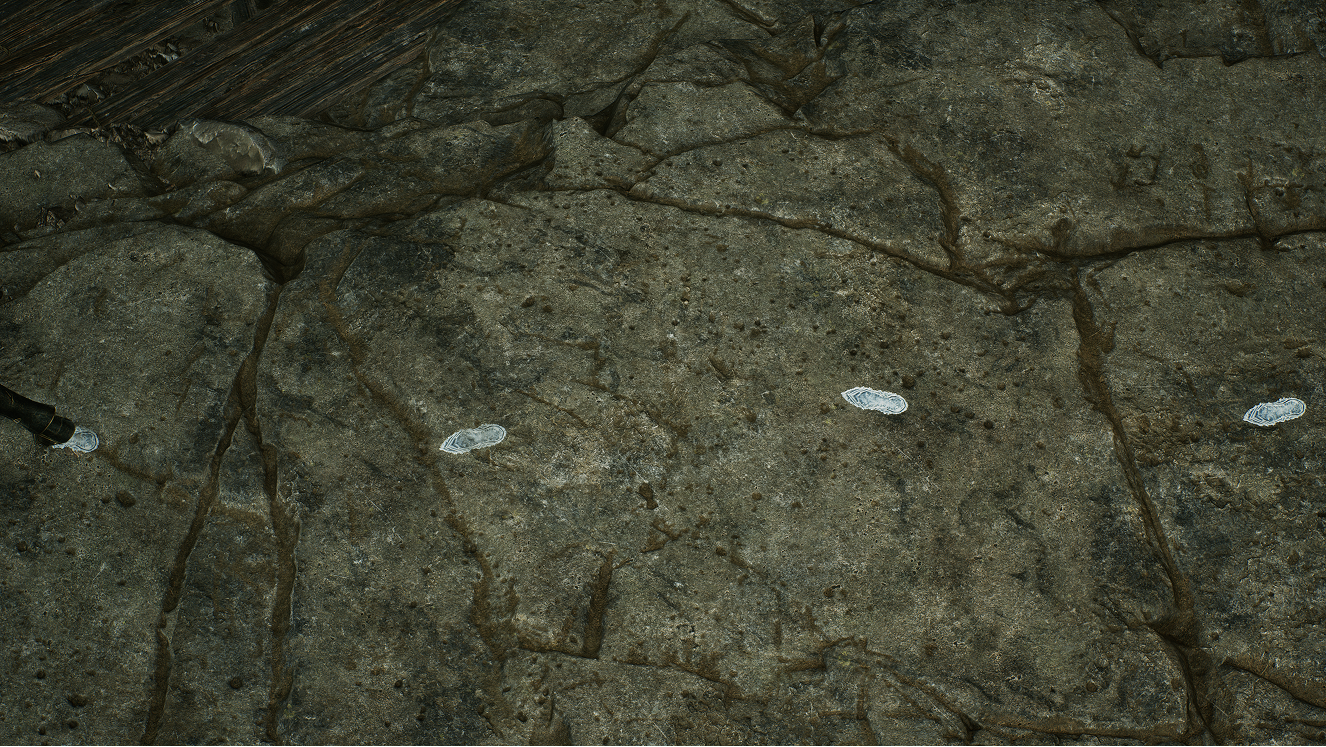
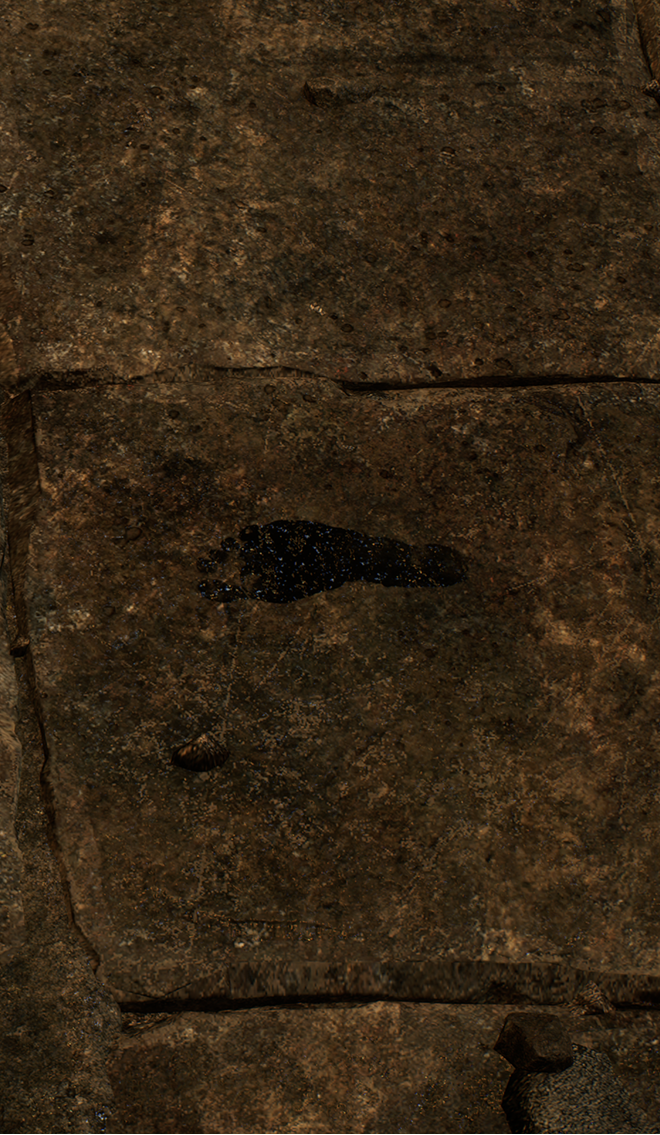
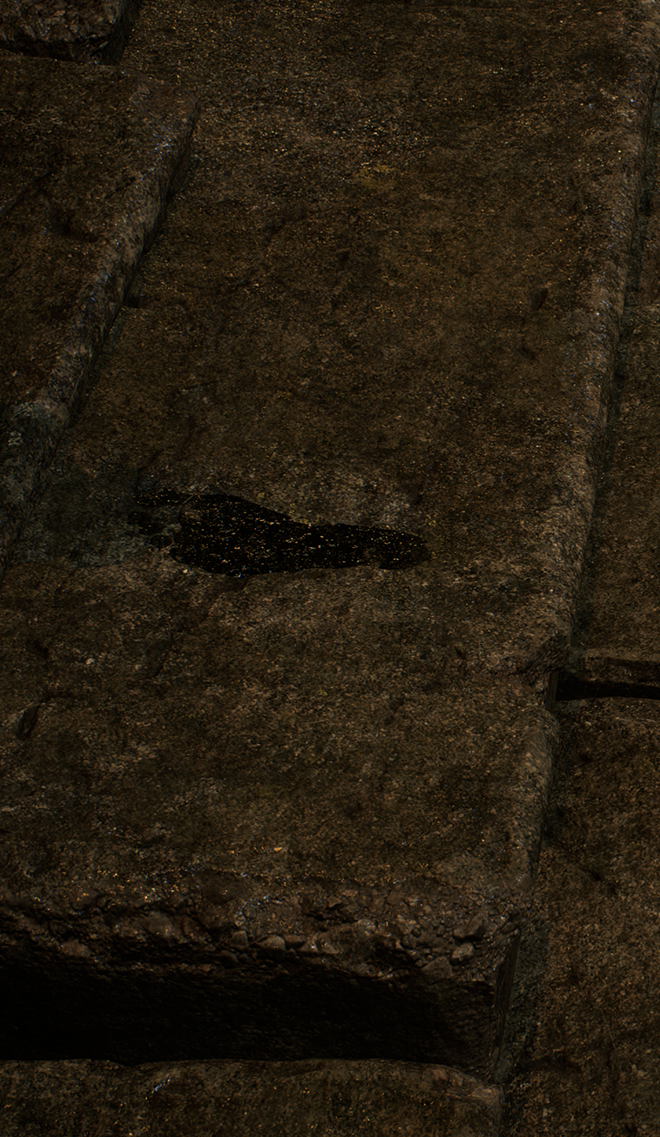
Let a configured receiving material respond to a contact through a bounded Surface Impression field. Use the provided material function and template to build project-authored coverage, then choose stamp size, intensity, lifetime, and fade behavior. This is a material presentation path for visible marks, not a terrain deformation system or a modification of the surface's collision.

  • Receiver-owned, bounded impression fields
  • Configurable stamps and lifetime behavior
  • Material response authored to match your scene

The paired views show the receiving surface without and with the authored impression.

06 / Receiver-aware projection

One print. Different geometry.

Keep a decal's contact identity while adapting its placement to the receiving geometry. Surface-anchored placement and receiver-normal filtering help control where the mark appears; a receiver provider can supply project-specific placement when collision alone is not enough. Choose conservative projection dimensions and validate the result on your meshes, rather than assuming one setting will fit every surface.

  • Bounded placement queries per decal attempt
  • Receiver-normal filtering in the supplied decal templates
  • Project-specific receivers and geometry require tuning

Two geometry examples, not a controlled before-and-after comparison of the same receiver.

07 / Source exclusion

Clean ground marks. Clean character meshes.

Keep carried residue on the receiving surface instead of projecting it onto the character that produced it. Source exclusion filters the configured source meshes from transferred decals, helping preserve clean presentation around feet and modular equipment. Use the supplied material contract and required Custom Depth/Stencil setup; a provider handles explicit mesh selections, including setups that span multiple Actors.

  • Transferred ground marks without unwanted source projection
  • Automatic source-Actor mesh selection or an explicit provider
  • Requires the documented rendering and material configuration

Compare unwanted projection on the character with the filtered result while the ground mark remains visible.

08 / Project-owned data

Production-ready foundation. Still project-owned.

Start from three neutral Data Assets, three material functions, three master templates, and five ready-to-duplicate material instances. Keep final textures, audio, Niagara, and artistic tuning inside your project. Duplicate the Starter assets into a project-owned folder, connect your content, and preserve the documented runtime material parameters so plugin updates do not overwrite your production authoring.

  • 14 neutral product assets included
  • Immediate, Surface Transfer, and Surface Impression templates
  • Data Validation support for project-owned configuration

Included authoring library

14 neutral assets.
Your project supplies the presentation.

3Starter Data Assets
Surface Data, Footstep Profile and a neutral Footwear Profile.
3Material functions
Source exclusion, receiver-normal filtering and Surface Impression coverage.
3Master materials
Templates for immediate decals, Surface Transfer and Surface Impressions.
5Material instances
Neutral starting instances to duplicate and configure with your own content.

Duplicate the Starter assets into your project. Supply your sounds, Niagara systems, textures and Physical Materials; demo scenes and showcase artwork are not included.

Inspect the package contents →

09 / Integration

Fits the contact pipeline you own.

Trigger from a skeletal-mesh socket, an explicit world location, or a caller-supplied blocking hit through animation events or project code. Reuse the contact timing your project already owns instead of adopting a new locomotion system. Step contacts also support externally driven and Level Sequencer-driven actors through motion-aware admission, without a permanent Footstep Component Tick.

  • Socket, world-location, and existing-hit entry points
  • Existing hits avoid a plugin ground trace; decal placement may still query
  • Contact timing and gameplay authority remain project-owned
Socket
Resolve a contact from your character mesh and configured socket.
World location
Submit a project-selected location for contact resolution.
Existing blocking hit
Reuse a blocking hit supplied by your own contact pipeline.

10 / Blueprint and C++

Same contract. Blueprint and C++.

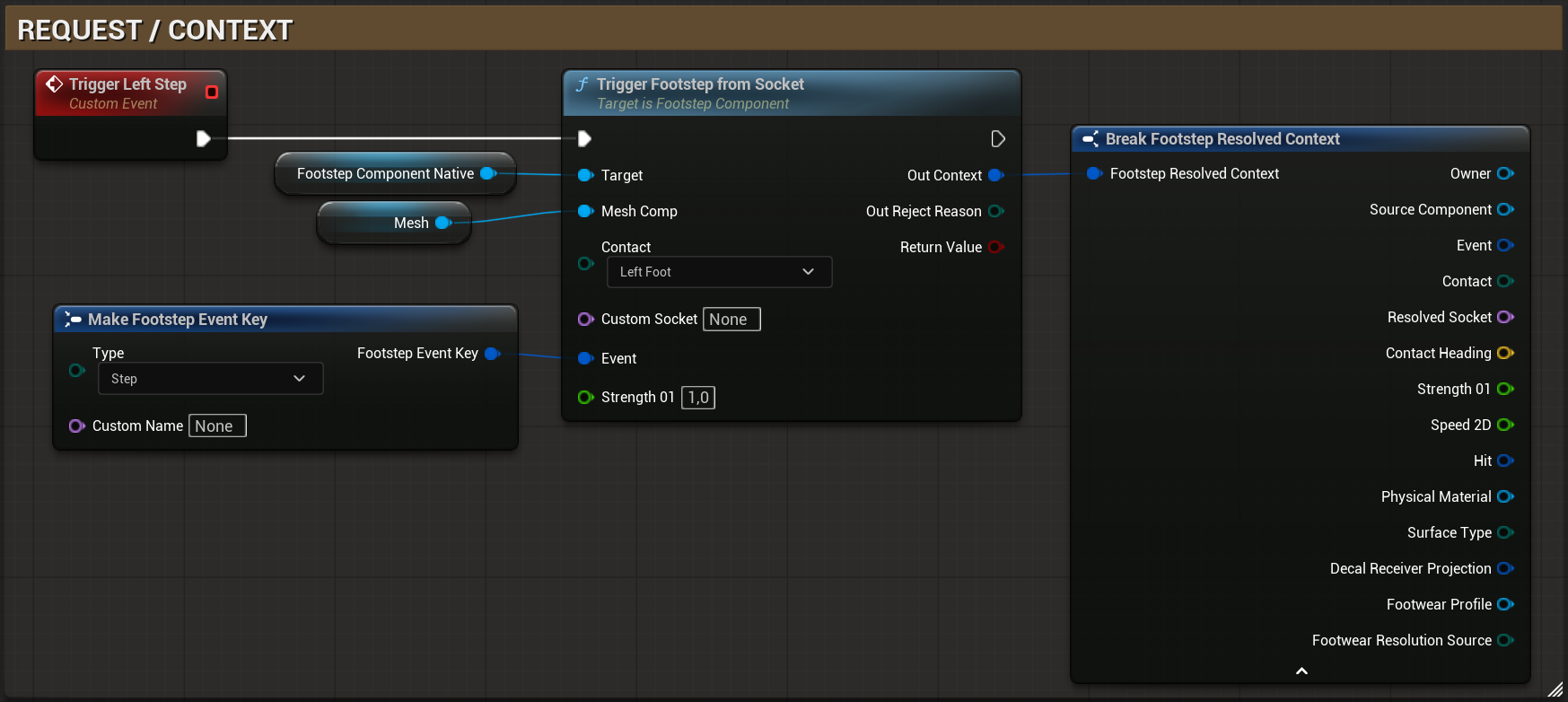
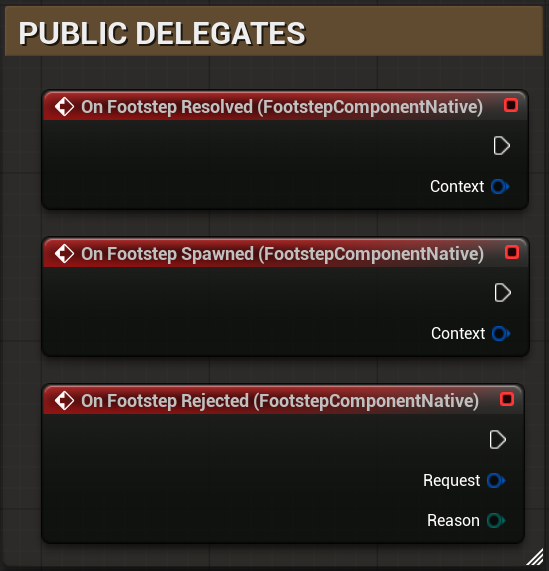
Use the public Blueprint nodes or C++ API to submit contacts and inspect their results. A resolved context exposes surface, contact, event, footwear, and hit information; public delegates distinguish resolution, spawning, and rejection. The Blueprint overview shows these integration points together, while the documentation covers the profile setup, result handling, and prerequisites needed for a working first contact.

  • Public contact calls and resolved context
  • Resolved, Spawned, and Rejected delegates
  • A stable rejection reason for diagnosing unsuccessful requests

API overview captured in Unreal Engine, not a complete setup tutorial.

Read the integration guide →

Public C++ example

Submit a socket contact from C++.

Source: Reference / C++ trigger and equipment examples / Socket Step. This excerpt is reproduced from the published manual; surrounding setup remains in the integration documentation.

Socket Stepcpp
FFootstepEventKey Event;
Event.Type = EFootstepEventType::Step;

FFootstepResolvedContext Context;
EFootstepRejectReason Reason = EFootstepRejectReason::None;
const bool bAccepted = Footsteps.TriggerFootstepFromSocket(
    &Mesh, EFootstepContactType::LeftFoot, NAME_None, Event,
    FMath::Clamp(Strength01, 0.0f, 1.0f), Context, Reason);

11 / Multiplayer

Local presentation. No per-contact RPC.

Replicate movement, animation, and equipment state in project code; each observing client presents cosmetic contacts locally. Footstep Studio does not send a plugin RPC for every step, and dedicated-server execution rejects cosmetic requests before trace or spawn. Your project still owns contact timing on each observer, state synchronization, authoritative gameplay, and any AI-hearing events derived from movement.

  • Client-local cosmetic presentation
  • No per-contact plugin replication traffic
  • Gameplay consequences and network synchronization remain project-owned

Network ownership

Project authority in. Local presentation out.

  1. 01
    Project-owned replicated state

    Replicate actor movement, animation state, possession, relevancy, and compact equipment identity in project code.

  2. 02
    Each observing client or listen host

    Map replicated equipment identity to a loaded footwear profile and evaluate eligible contact presentation locally. Variant choices and transfer state are not replicated; the plugin sends no per-contact RPC.

  3. 03
    Dedicated server

    Reject cosmetic presentation before trace or spawn and retain no Surface Transfer state.

Submit each contact through one cosmetic route; do not combine a local AnimNotify with a multicast that submits the same request. AI noise, stealth, damage, friction, wetness, and status effects remain in server-owned project logic.

12 / Performance controls

Measured. Bounded. Reproducible.

Control presentation cost with admission checks before ground tracing, per-component limits, world-level effect budgets, bounded retained state, and bounded decal-placement queries. Footstep Component work is contact-driven rather than a permanent Tick. Use these controls to build a reproducible profiling scenario with your actual sounds, Niagara systems, receiving materials, actor counts, and target hardware before setting production limits.

  • World ceilings for audio, Niagara, decals, and impression submissions
  • Bounded placement and retained-state capacities
  • Profile complete project effects; no universal frame-time guarantee

Controlled measurement · 2.11.2

≈ 39.7µs / request

Mean internal game-thread time

Measured with channel budgets active. Internal request processing and channel submission only — not the complete cost of a footstep or a frame.

Actors
64
Contacts / actor / second
4
Accepted requests
2,560
Real scene queries
2,560

UE 5.6.0 · Win64 · Development Editor · D3D12 / SM6
Intel Core i9-14900K · NVIDIA GeForce RTX 5070 Ti
Recorded 2026-09-09. Controlled engine assets; no Surface Impressions.

Measurement method & observed emissions

2 s warmup, then 10.002 s measured across 40 batches. Mean: 101.565 ms of internal request time ÷ 2,560 requests. This is one recorded run, not a cross-hardware benchmark or a percentile.

Each contact starts with a real physics trace; its blocking hit is then supplied to the plugin. Scene-query time is measured separately. Asynchronous audio, Niagara, rendering and GPU work are outside the displayed timing.

Observed emissions · budgets active
ChannelEmissions
Audio2,442
Niagara1,318
Decals681
Surface Transfer35

3,367 channel-budget rejections were recorded, with no request-level rejection. An accepted contact does not necessarily emit every channel. Locally controlled actors exempt from world-level budgets: 1; profile limits still applied.

Windows 11 · build 26200; scalability level 3; 1280 × 720 scene captures. The host-scoped regression ceiling was 2 ms per internal request on average, not a frame-time guarantee. Profile your actual assets, receivers and target hardware.

Read the runtime cost model →

13 / Compatibility

Compatibility. Tested, not assumed.

Footstep Studio 2.11.2 was verified on UE 5.5.4, 5.6.0, 5.7.4, and 5.8.0 on Win64, including clean C++ and Blueprint consumers, packaging, runtime checks, and asset validation. The Runtime module is platform-neutral by design, but that is not proof of support on other targets. Compile, cook, package, and profile your production project with its actual platform toolchain.

  • Validated: UE 5.5.4, 5.6.0, 5.7.4, and 5.8.0 on Win64
  • No claim of native Linux, macOS, mobile, console, or XR validation
  • Project content and target rendering still require acceptance testing

Release 2.11.2 · validated on Win64

Four engine versions.
Clean project adoption.

Controlled validation on each exact engine version
UnrealPlugin
build
Clean
C++
Clean
Blueprint
5.5.4PassPassPass
5.6.0PassPassPass
5.7.4PassPassPass
5.8.0PassPassPass
Runtime tests
91
Consumer contexts
12
Failed test results
0

The same 91-test suite ran in 12 contexts: C++, Blueprint-only and Third Person projects across four engine versions. These are repeated validations, not 1092 unique tests.

The release also checks applicable Editor, Development and Shipping targets, map smoke and Data Validation. Other platforms, engine patches and project-specific rendering require their own acceptance tests.

See the complete validation scope →

14 / Package and documentation

Bring your assets. Ship your response.

The package includes runtime source, fourteen neutral product assets, and version-aligned documentation for installation, material authoring, Blueprint and C++ APIs, multiplayer, performance, and troubleshooting. Bring your own sounds, Niagara systems, textures, characters, and animation. Start with the first-contact guide, then follow the feature-specific setup and diagnostics to turn the neutral foundation into your project's finished response.

  • Runtime source, neutral authoring assets, and customer documentation
  • Setup, API reference, troubleshooting, and upgrade guidance
  • No demo map, character, animation, sound, Niagara System, or showcase artwork included
Included
Plugin source, fourteen neutral product assets and version-aligned documentation.
Bring your own
Characters, animations, sounds, Niagara systems, textures and Physical Materials. Showcase artwork is not included.
Read the integration guide →

Project fit

Check the fit for your project.

Review the package contents, integration requirements, and published compatibility scope before choosing the product.

Is this a ready-made demo project or asset pack?

Footstep Studio is a production plugin, not a template project or a presentation-asset library.

Package contents
Can I keep my existing locomotion, animation, and inventory systems?

Ground, footwear, project integration, and runtime each own a deliberately narrow responsibility.

Integration boundaries
Can I use Footstep Studio from Blueprint?

C++ and Blueprint observe the same accepted context and first failure reason.

Blueprint + C++ contract
What does integrating a source copy involve?

Keep one FootstepSystem root, rebuild source consumers, and preserve project-owned authoring outside the plugin mount.

Installation requirements
How does it work with replicated actors?

Replicated actors are supported through a client-local cosmetic model with no per-contact plugin RPC.

Network responsibilities
Does it require permanent Tick, and how should I evaluate performance?

The implementation removes permanent polling and bounds retained state, selection history, and effect admissions.

Performance controls
Has my target environment been validated?

Version 2.11.2 is validated on four exact Unreal Engine Win64 lanes; platform-neutral source and customer target certification remain distinct claims.

Compatibility

Have a product question?

Contact product support

Need project-specific development?

Quoted separately by HardenForge.

Explore services